help center
download your instagram data
follow the steps below, then upload your export into Instalyzer.
quick guide
- 01
open your instagram profile
Log into Instagram on desktop and open your profile.
- 02
go to settings
Open the menu, then go to Settings and Accounts Center.
- 03
open your information and permissions
Find the section where Instagram lets you manage and download your data.
- 04
select download your information
Choose the option to request your Instagram export.
- 05
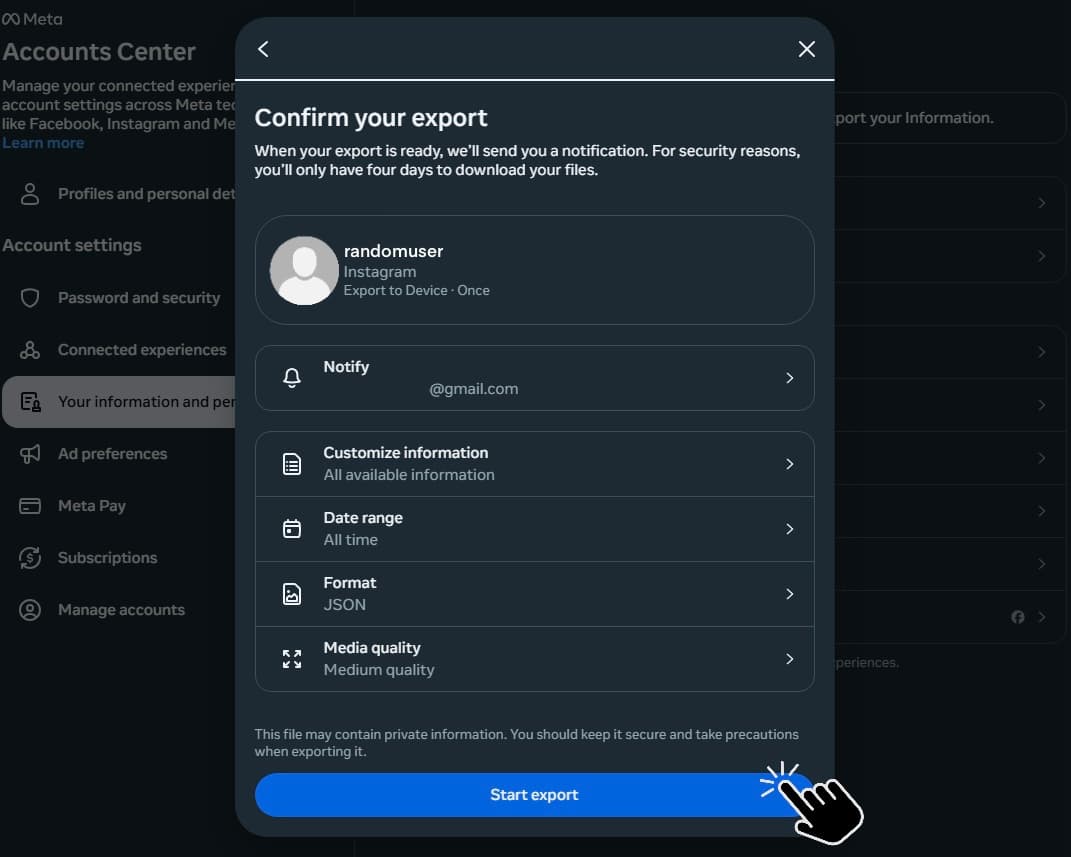
choose required settings
Use these required settings: Customize information, All time, and JSON.
- 06
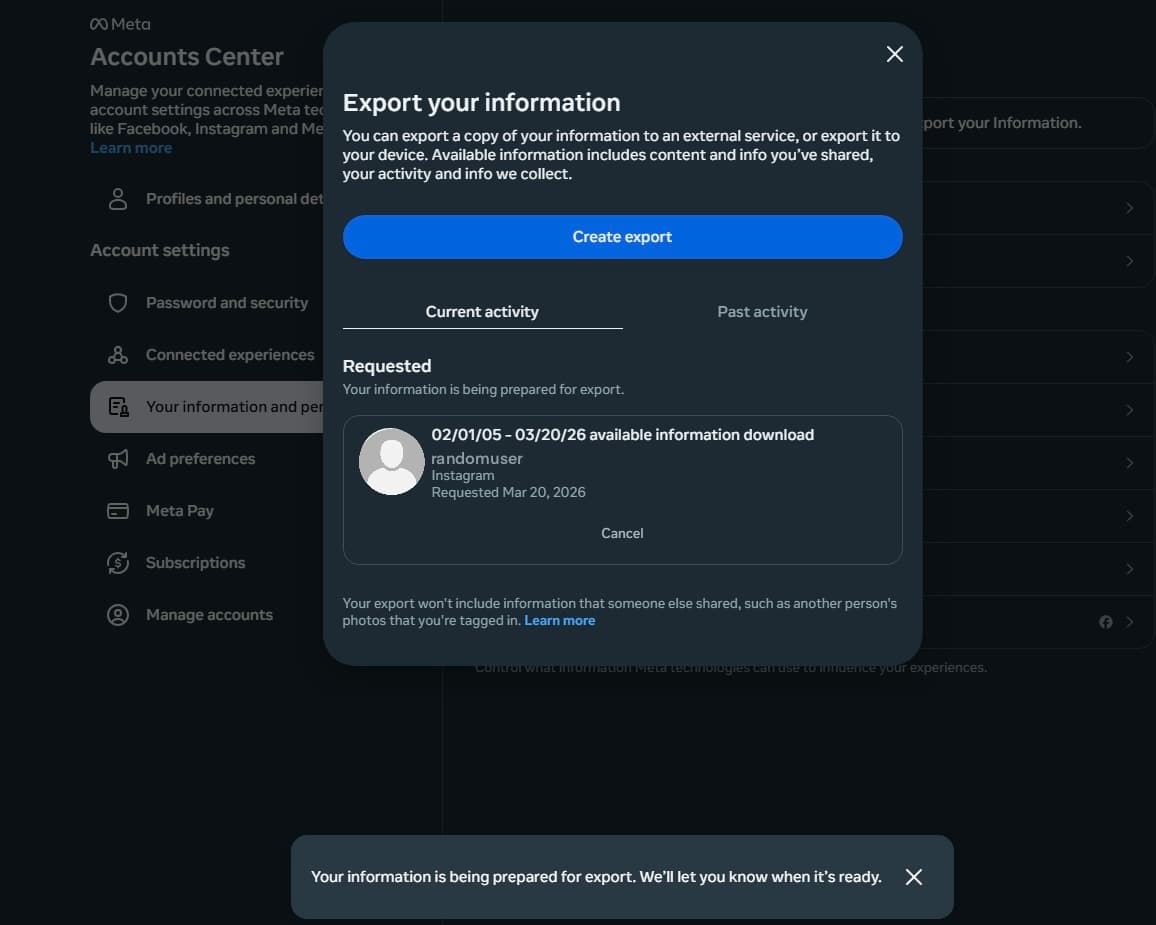
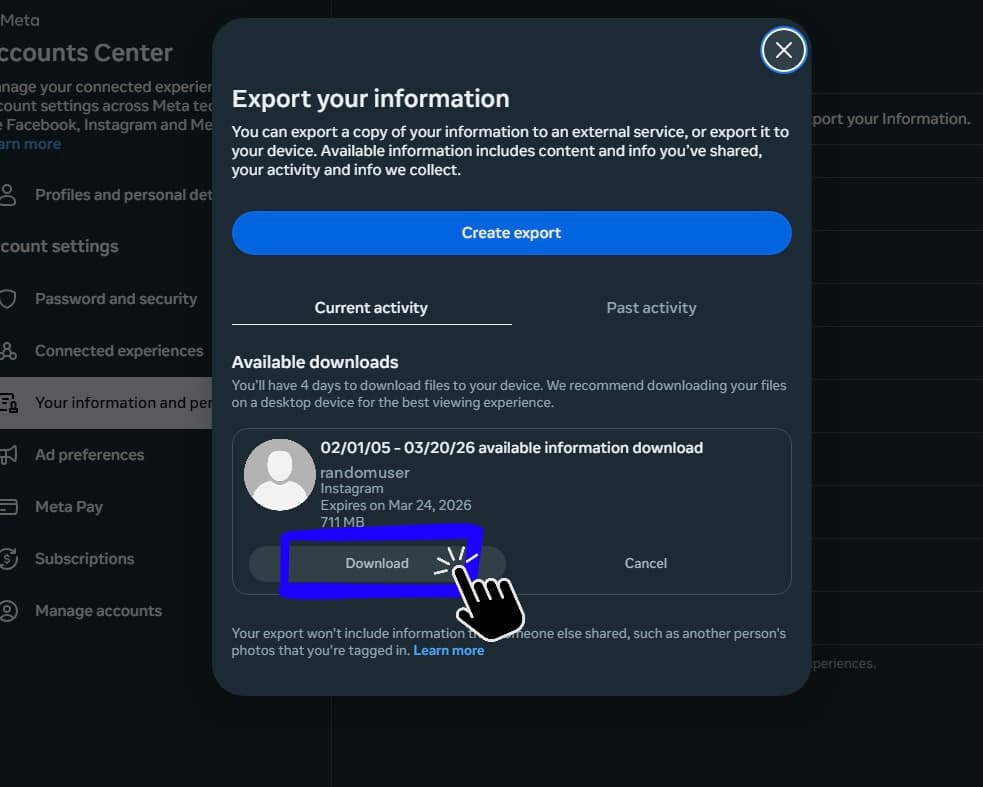
download the ZIP and upload it
When your file is ready, download the ZIP and come back to Instalyzer to upload it.
ready when you are
send yourself the workspace link and continue on desktop.
visual guide
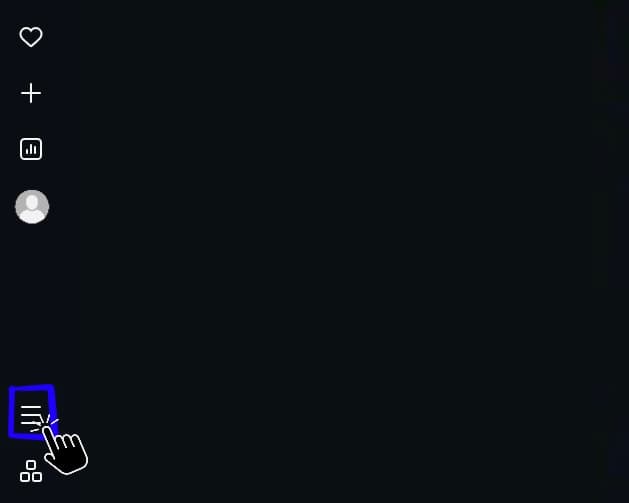
menu
from your instagram profile page, tap the menu button to open settings.
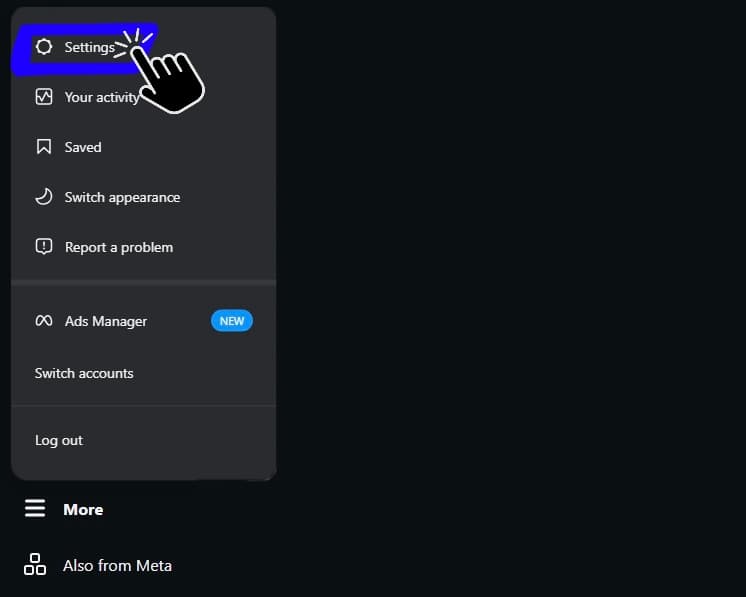
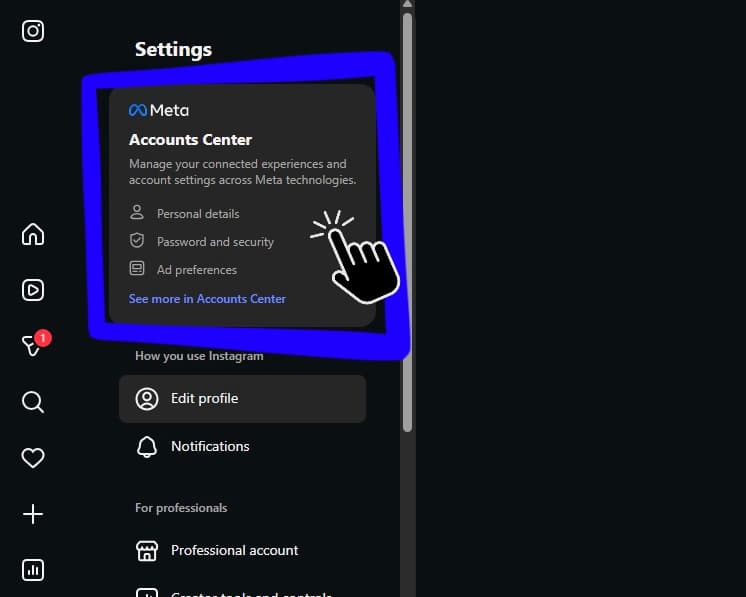
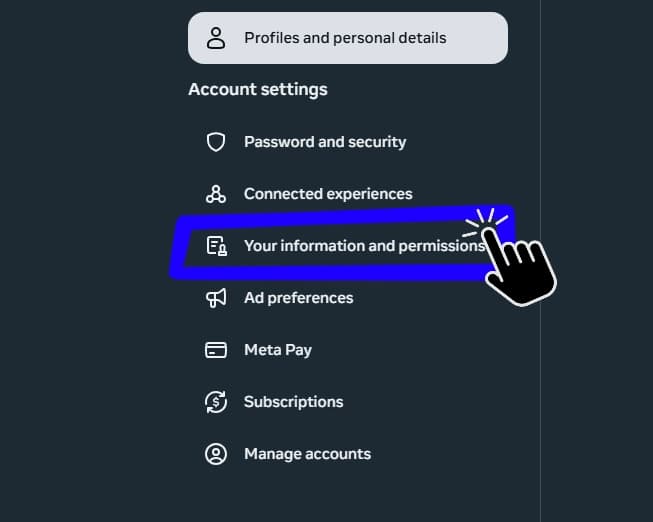
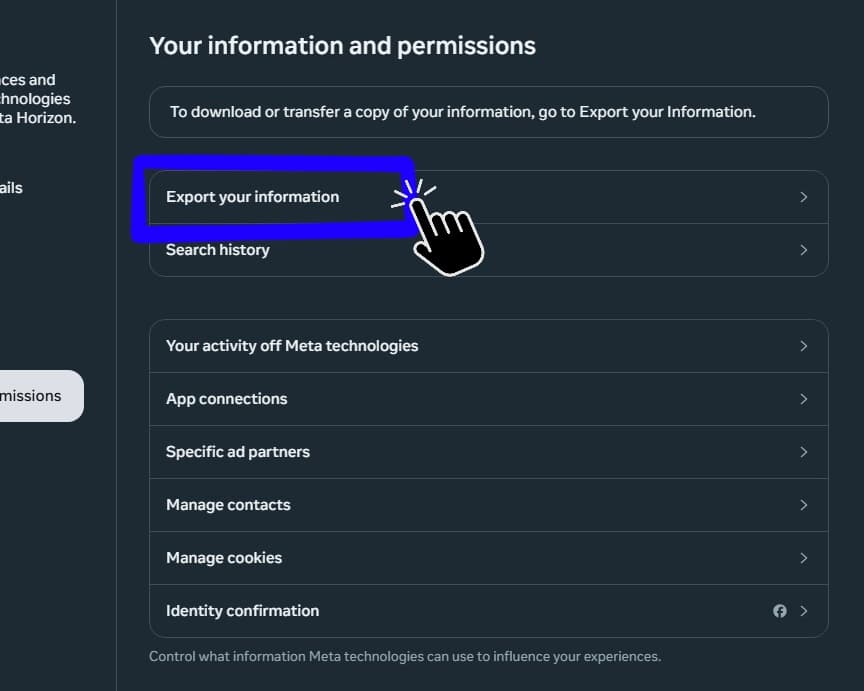
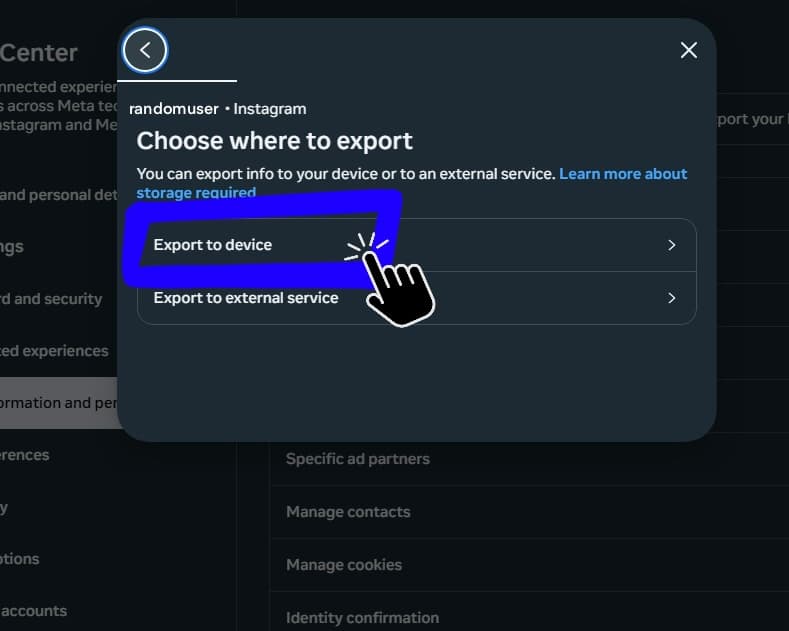
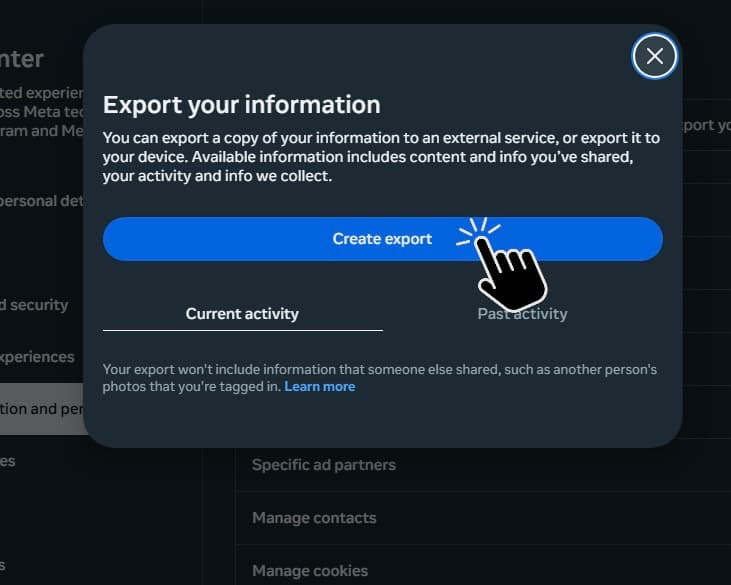
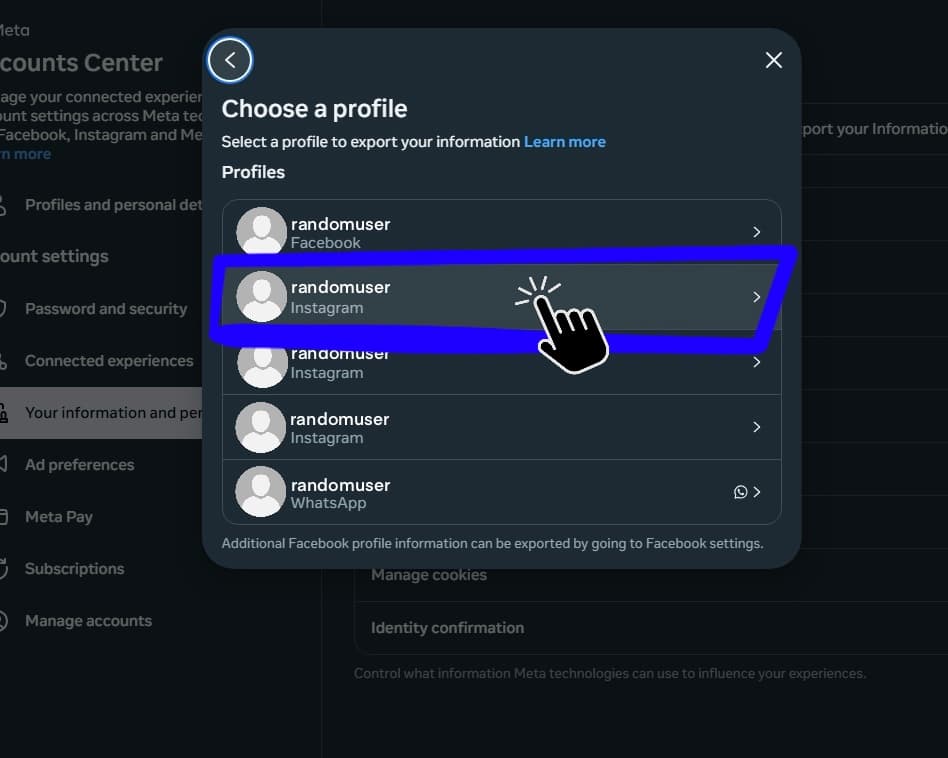
Use left and right arrow keys to move through the visual guide. Use Home to jump to the first step and End to jump to the last step.
Step 1 of 11. menu.